First, create a Samba share on the easiest way. For example, mine:
[macbook-pro-14]
  path = /mnt/data/backups/macbook-pro-14
  read only = no
  browseable = yes
  guest ok = no
  valid users = @ronhks
  force user = ronhks
  force group = ronhks
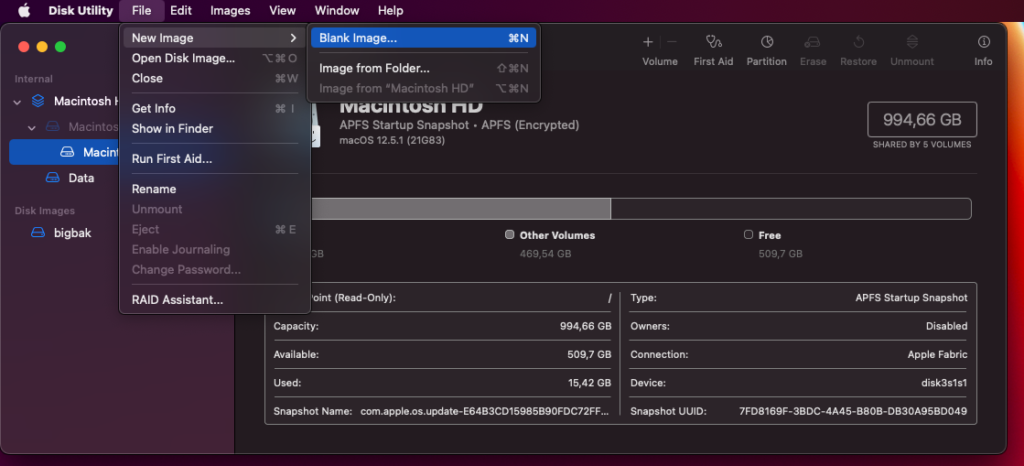
Open the DiskUtility.app macos app.
On it, create a new file drive image:
Create az Image, with these parameters:
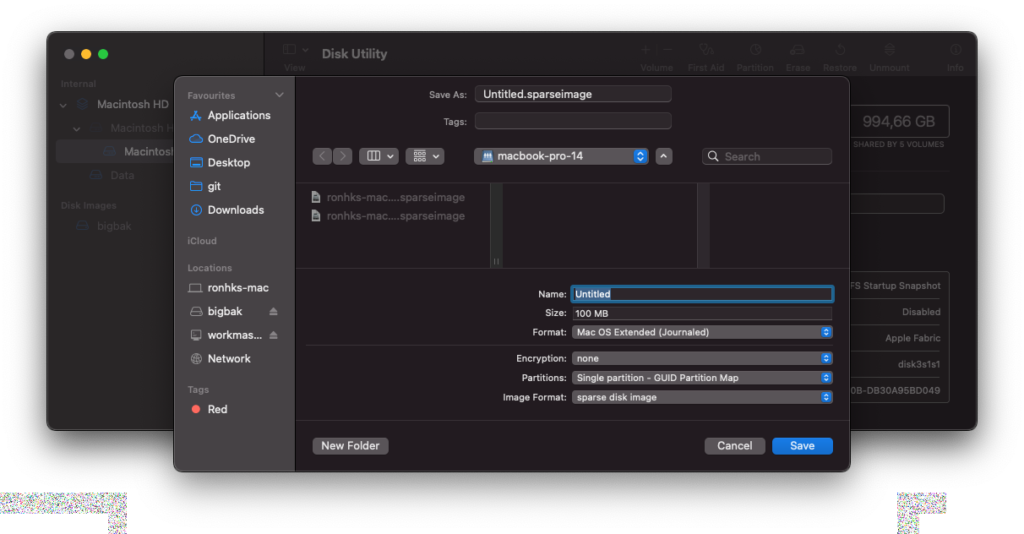
Mac OS Extended (Journaled)Image format:
sparse disk image Mount the created image.
Set the TimeMachine to use the mounted image:sudo tmutil setdestination -a /Volumes/{network-drive}